Quick answer
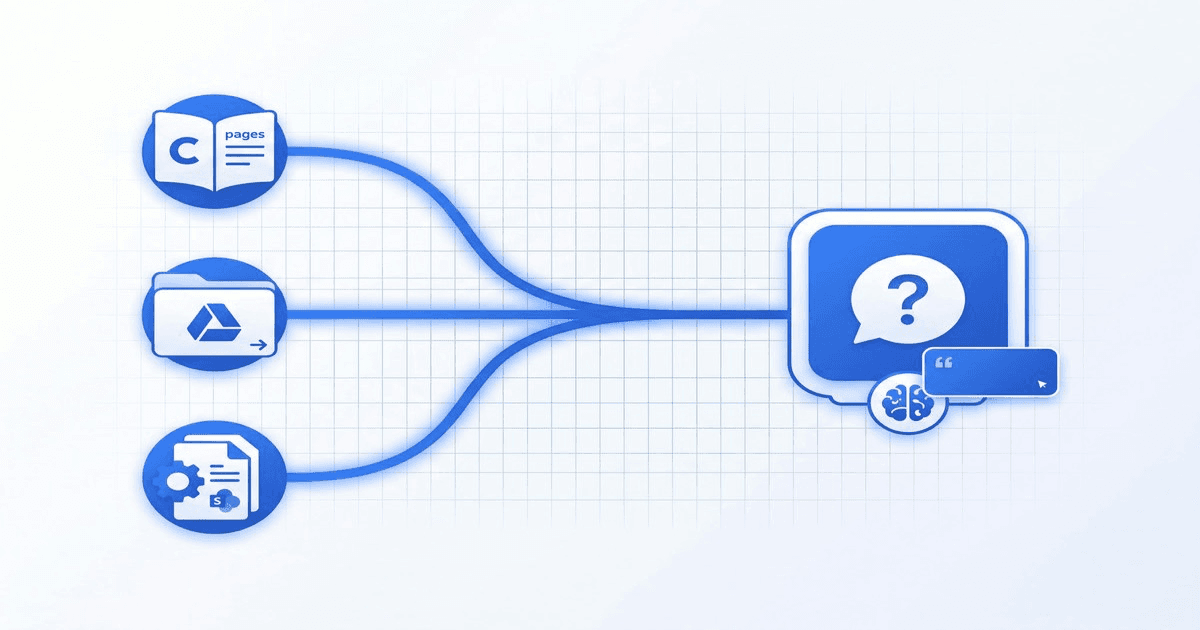
You do not need to migrate your docs to make them answerable. Connect Confluence, Google Drive, and SharePoint to one AI assistant and your team asks a single chat instead of searching three systems.
BuiltABot ingests content from all three into one grounded knowledge base, answers in plain language with citations, re-syncs when docs change, and respects which sources you choose to index.
Ask anyone on a growing team where the answer lives and you will hear the same thing: "It is in Confluence… or maybe Drive… actually it might be in SharePoint." Knowledge does not live in one place anymore. Engineering writes specs in Confluence, operations keeps templates and SOPs in Google Drive, and HR and IT policies sit in SharePoint. Each system has its own search box, and none of them can see the others.
The result is a tax on every employee: time lost searching, questions pinged to colleagues who already answered them last week, and decisions made on stale or half-remembered information. The fix is not another migration project. It is to make the knowledge you already have instantly answerable in plain language — by connecting all three sources to a single AI assistant.
This guide shows how to do exactly that with BuiltABot: connect Confluence, Google Drive, and SharePoint into one grounded knowledge base, keep it fresh as docs change, and keep answers accurate and permission-aware with citations your team can trust.
The Problem: Scattered Knowledge
Three systems is not an accident — each tool is genuinely good at what it does, so teams adopt all three. The problem is the seams between them.
Confluence holds the "how and why"
Product specs, engineering runbooks, architecture decisions, meeting notes. Confluence is where context accumulates, but its wiki structure means answers are buried in long pages across many spaces.
Google Drive holds the working documents
Templates, proposals, spreadsheets, onboarding checklists, the actual files people edit day to day. Drive is where work happens, but folder sprawl makes finding the right version hard.
SharePoint holds the official policies
HR handbooks, IT and security policies, compliance documents, finance procedures. SharePoint is where the authoritative versions live, often behind access controls that make them even harder to surface casually.
The scattered-knowledge tax
- • Employees search the wrong system first, then repeat in the others
- • The same questions get asked to ops, HR, and IT over and over
- • Native search returns a list of docs, not an answer
- • No single tool can search across all three sources at once
Why a Chatbot Beats Migrating
The instinct when knowledge is scattered is to consolidate: pick one system and move everything into it. In practice, migration projects are expensive, slow, politically fraught, and almost always incomplete. Worse, they fight the reality that each tool earns its place — engineers will keep writing in Confluence and finance will keep its SharePoint libraries no matter what you decree.
A chatbot inverts the problem. Instead of moving knowledge to a new home, you make the knowledge answerable where it already lives. Nothing migrates. Each team keeps maintaining docs in the tool they prefer, and a single assistant reads across all of them to answer questions. For the background on how grounding on your own content works, see our complete guide to training a chatbot on your data.
Connecting Confluence
Confluence is organized into spaces and pages. When you connect it to BuiltABot, you choose which spaces to index rather than ingesting the entire instance indiscriminately — this keeps the assistant focused and respects where sensitive content lives.
What gets indexed
Pages and their content across the spaces you select. Long wiki pages are chunked so the assistant can retrieve the specific passage that answers a question, rather than dumping a whole page on the user.
Keeping it synced
Confluence content changes constantly. The assistant re-indexes so an edited page is answered from its current version, not a stale snapshot. This matters most for runbooks and specs that evolve release to release.
Connecting Google Drive & Docs
Google Drive is folder-based and full of the working documents your team actually edits. When connecting Drive, you select the folders or shared drives to index so the assistant learns from the right working set.
Docs, sheets, and files
Google Docs and the text inside common file types become part of the knowledge base. Onboarding checklists, process docs, and templates are exactly the kind of content employees ask about most.
Workspace reality
Drive folder structures sprawl over time, which is why native search is frustrating. Grounding an assistant on the specific folders that matter turns that sprawl into a single answerable source.
Turn Your Confluence, Drive & SharePoint Docs Into One AI Assistant
BuiltABot ingests all three into a single grounded knowledge base, answers in plain language with citations, and re-syncs as your docs change. Free 14-day trial.
Connecting SharePoint & OneDrive
SharePoint is where the authoritative, often access-controlled documents live — HR handbooks, IT and security policies, compliance and finance procedures. It is organized into sites and document libraries.
Sites and document libraries
You select the sites and libraries to index. Because SharePoint holds the official versions of policies, it is frequently the most valuable source to make answerable — these are the documents employees most often need and least often find quickly.
Permissions come first
SharePoint content is usually access-controlled for good reason. Only index libraries in line with your access policy, and rely on the assistant's citations so every policy answer is traceable to the authoritative source. Our internal policy and SOP bot guide goes deeper on doing this responsibly.
One Unified Knowledge Base
The payoff of connecting all three is a single assistant that answers across sources. An employee asks "what is our remote-work policy and which laptop setup doc do I follow" and the assistant can pull the policy from SharePoint and the setup doc from Drive in one answer — something no single tool's native search can do.
What lives where — and why unifying it wins
| Source | Typical content | Who asks about it |
|---|---|---|
| Confluence | Specs, runbooks, decisions | Engineering, product |
| Google Drive | Templates, SOPs, checklists | Operations, everyone |
| SharePoint | HR, IT, compliance policies | HR, IT, finance, all staff |
| Unified assistant | All of the above, grounded | One place to ask |
Accuracy, Permissions & Citations
An internal assistant is only worth deploying if people trust its answers. Three things make it trustworthy.
Grounding reduces hallucination
Because the assistant answers from retrieved passages in your actual documents rather than generating from general knowledge, it stays anchored to what your docs say. This retrieval-grounded approach is what separates a reliable internal assistant from a generic chatbot.
Citations make answers verifiable
Every answer links back to the source document. When an employee reads "our refund window is 30 days," they can click through to the policy in SharePoint and confirm. Citations turn the assistant from a black box into a faster front door to your real docs.
Index only what you should
Respect access controls by choosing which spaces, folders, and libraries to connect. The safe default is to index broadly used, non-sensitive knowledge first, then expand carefully. Never make content answerable more widely than your access policy intends.
Getting Started
Your knowledge is already written. The problem was never that the docs do not exist — it is that they are scattered across three systems with three search boxes and no shared brain. Connecting Confluence, Google Drive, and SharePoint to one assistant fixes that without a single migration.
With BuiltABot you point the assistant at the sources that matter, it ingests the content into one grounded knowledge base, and your team asks one chat instead of hunting through three tools. Answers stay fresh as docs change and cite their sources so they are easy to trust. For the step-by-step, see our guide to connecting a knowledge base chatbot and the Notion workspace guide if Notion is in your mix too.
To build your unified internal assistant today, start your free 14-day trial — no credit card required. Connect your first source, test a real question, and see your scattered knowledge answer in one place.