"Chatbot development" used to mean hiring engineers. In 2026 it usually means
choosing the right approach — a no-code platform, an open-source framework, or a custom build. This guide compares all three, names the leading tools, and shows the fastest path to a working bot. For most businesses,
BuiltABot ships the same outcome in minutes, not months.
Quick answer
There are three ways to build a chatbot in 2026: a no-code platform (fastest and cheapest for businesses), an open-source framework like Rasa or Botpress (developer control), or a fully custom LLM build (maximum flexibility, highest cost). Most businesses should use a no-code platform because it includes retrieval, hosting, and integrations out of the box.
For a business chatbot trained on your own content, BuiltABot launches in 5–15 minutes at $29.99/month. Choose a framework only if you have developers who will own and maintain the bot long-term.
A few years ago, building a chatbot meant a project plan, a developer team, and months of intent training. In 2026 the landscape has split into three clear paths — and picking the wrong one is the most expensive mistake you can make before you write a single line of configuration.
This guide is the map. We define what chatbot development actually involves today, lay out the three approaches with named platforms and frameworks, walk through how to build a bot step by step, and give you a straight answer on cost. Throughout, we'll be honest about where BuiltABot fits — it's the no-code path — and where a framework or custom build makes more sense.
What Chatbot Development Means in 2026
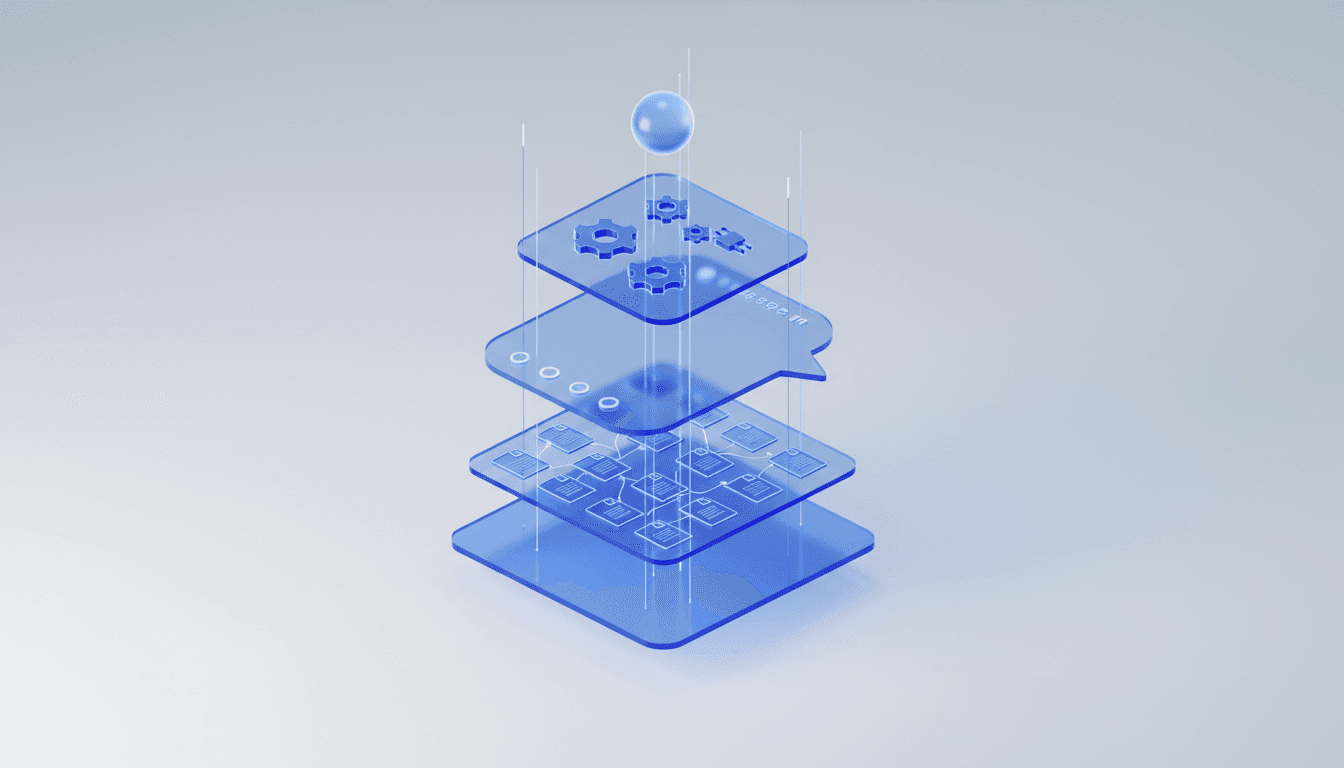
Modern chatbot development is less about writing dialogue trees and more about assembling four layers. Understanding them tells you what you're really buying (or building).
1. The language model
The reasoning engine — usually a large language model from OpenAI, Anthropic, or Google. In 2026 you almost never train your own; you use a hosted model via API. This layer is a small, commoditized part of the cost.
2. Retrieval (RAG)
The part that makes a bot yours. Retrieval-augmented generation feeds the model your specific content — website pages, documents, knowledge base — so answers are accurate instead of generic or hallucinated. This is where most of the real engineering lives. Here's how RAG works.
3. Channels and the widget
How users reach the bot. For most businesses that's an embeddable website widget. Some platforms add channels like Slack.
4. Integrations and actions
What the bot can do beyond answering — capture a lead, book an appointment, hand off to a human, sync to a webhook. This layer turns a chatbot from a novelty into a business tool.
When you evaluate any approach below, ask which of these four layers it handles for you and which you have to build and maintain yourself. That single question predicts your total cost more accurately than any pricing page.
The 3 Ways to Build a Chatbot
Approach 1: No-code platform (recommended for businesses)
A hosted product handles all four layers. You connect your content, configure behavior in plain English, and embed. Best for customer support, lead generation, FAQ automation, appointment booking, and internal knowledge bots. Time to launch: minutes to hours. This is where BuiltABot, Voiceflow, Tidio, Intercom, and Chatbase live.
Approach 2: Open-source framework (for developer teams)
A toolkit gives you dialogue management, NLU, and integration hooks, but you write the code, host the service, and own maintenance. Best when you need custom conversation logic or on-premise control. Time to launch: weeks. This is Rasa, Botpress, Microsoft Bot Framework, and Google Dialogflow.
Approach 3: Fully custom build (for unique products)
You wire an LLM API to a vector database and your own backend, often with a library like LangChain. Maximum flexibility, maximum responsibility. Best for products where the chatbot is the core offering. Time to launch: months.
Platforms & Frameworks — At a Glance
The leading tools across all three approaches, with the honest one-line summary.
| Tool | Type | Coding? | Starting Price | Best For |
|---|
| BuiltABot | No-code platform | None | $29.99/mo | Businesses wanting a bot trained on their content, fast |
| Voiceflow | No-code/low-code | Optional | Free / ~$60/mo | Designing and prototyping conversation flows |
| Chatbase | No-code platform | None | Free / ~$40/mo | Simple GPT-style bots on your docs |
| Tidio | No-code platform | None | Free / $29+/mo | SMB live chat plus basic bots |
| Landbot | No-code platform | None | ~$40/mo | Visual conversational landing pages |
| Rasa | Open-source framework | Python | Free / Enterprise | Developer control over NLU and dialogue |
| Botpress | Open-source framework | Node.js | Free / usage-based cloud | Developers wanting a visual studio plus code |
| Microsoft Bot Framework | Framework | C# / JS | Free + Azure costs | Enterprise teams on Azure and Teams |
| Google Dialogflow CX | Managed framework | Some | Usage-based | Teams on Google Cloud |
| LangChain | Developer library | Python / JS | Free (self-host) | Custom LLM apps and RAG pipelines |
BuiltABot — Best No-Code Platform for Businesses
Type: No-code platform. Pricing: $29.99 Starter / $79.99 Professional / $149.99 Advanced. 14-day free trial, no credit card.
Why it leads for businesses: BuiltABot handles all four development layers so you don't. It trains on your content automatically — crawl your website, upload PDFs, Word docs, and text files, or sync from Notion and Google Drive — then answers with RAG. It ships an embeddable widget, lead capture forms, appointment booking via Google Calendar and Cal.com, human handoff (live support), Slack notifications, conversation analytics, and multilingual replies. No code, no hosting, no maintenance.
Best for: Customer support, lead generation, FAQ automation, and internal knowledge bots at SMBs and mid-market companies.
Trade-off: It's a configuration product, not a code framework — if you need bespoke dialogue logic no platform exposes, a framework gives more control.
Voiceflow — Best for Designing Conversation Flows
Type: No-code/low-code design tool. Pricing: Free tier, paid from roughly $60/month.
Why it ranks here: Voiceflow's visual canvas is excellent for mapping and prototyping complex conversation flows before you ship. Popular with teams that design bots collaboratively.
Trade-off: More a design-and-prototype layer than a turnkey business bot; you often still wire up hosting and integrations.
Chatbase — Best for Simple GPT Bots on Your Docs
Type: No-code platform. Pricing: Free tier, paid from around $40/month.
Why it ranks here: Chatbase makes it quick to spin up a GPT-style bot trained on uploaded documents or a URL. Good for a lightweight FAQ bot.
Trade-off: Lighter on business actions like lead qualification, appointment booking, and human handoff than a full platform.
Tidio — Best for SMB Live Chat Plus Bots
Type: No-code platform. Pricing: Free tier, paid from $29/month. Full Tidio review.
Why it ranks here: Tidio blends live chat with rule-based and AI bots, with strong Shopify support for ecommerce.
Trade-off: Contact-based pricing scales quickly, and the AI depth is lighter than RAG-first platforms.
Landbot — Best for Visual Conversational Pages
Type: No-code platform. Pricing: from ~$40/month.
Why it ranks here: Landbot's builder is genuinely enjoyable for interactive, form-like conversational experiences and lead magnets.
Trade-off: Better as a standalone conversational page than an always-on, content-trained website assistant.
Rasa — Best Open-Source Framework for NLU Control
Type: Open-source framework (Python). Pricing: Open-source free; Rasa Pro/Enterprise priced on request. See how platforms compare to frameworks.
Why it ranks here: Rasa is the gold standard for teams that need full control over intent classification, entity extraction, and dialogue policies, with on-premise deployment.
Trade-off: Real engineering commitment — Python skills, model training, hosting, and maintenance. Overkill for a standard business FAQ or support bot.
Botpress — Best for Developers Who Want Studio Plus Code
Type: Open-source framework (Node.js). Pricing: Open-source free; usage-based cloud tiers.
Why it ranks here: Botpress pairs a visual studio with real extensibility and modern LLM integration, a middle ground between no-code and pure code.
Trade-off: Still a developer tool — you own deployment and upkeep.
Microsoft Bot Framework — Best for Azure Enterprises
Type: Framework (C#/JS). Pricing: Framework is free; you pay for Azure services.
Why it ranks here: The natural choice for enterprises standardized on Azure, Teams, and the Microsoft stack, with strong governance and channel reach.
Trade-off: Enterprise complexity and Azure dependency; not a quick win for a small business.
Google Dialogflow CX — Best for Google Cloud Teams
Type: Managed framework. Pricing: Usage-based.
Why it ranks here: Dialogflow offers robust managed NLU and flow design, ideal if you're already on Google Cloud and want less hosting overhead than Rasa.
Trade-off: Ties you to Google Cloud, and complex flows still need real configuration effort.
LangChain — Best Library for Custom LLM Builds
Type: Developer library (Python/JS). Pricing: Free, self-hosted.
Why it ranks here: LangChain is the default toolkit for orchestrating LLM calls, retrieval, and tool use in a fully custom build. It's the "from scratch" path when you need something no platform offers.
Trade-off: It's a library, not a product — you build and maintain everything around it, including the widget, hosting, and integrations.
How to Build a Chatbot: Step by Step
Here's the fastest reliable path — the no-code route that suits most businesses. (If you're going the framework route, swap steps 2–4 for engineering work and add hosting.)
Step 1: Define the job
Pick one primary job: answer support questions, capture and qualify leads, book appointments, or serve as an internal knowledge assistant. A focused bot outperforms a do-everything bot every time.
Step 2: Connect your content
This is what makes the bot accurate. In BuiltABot you crawl your website, upload PDFs, Word docs, or text files, or sync pages from Notion and Google Drive. The platform chunks and indexes everything into a retrieval layer automatically. More on turning a knowledge base into a bot.
Step 3: Configure persona and behavior
Set the tone, the greeting, and what to do when the bot doesn't know an answer. Plain English, no code. Guide to chatbot personality and tone.
Step 4: Add actions
Turn on lead capture forms, appointment booking (Google Calendar or Cal.com), human handoff to live support, and any webhooks you need to push data to other tools.
Step 5: Embed and test
Paste one snippet onto your site — WordPress, Shopify, Squarespace, Wix, Webflow, or custom HTML. Test with real questions your customers actually ask.
Step 6: Monitor and improve
Use conversation analytics to see what people ask and where the bot falls short, then add content to close the gaps. This loop is what separates a bot that works from one that gets switched off. Which chatbot metrics actually matter.
What Chatbot Development Actually Costs
The sticker price of a model API is a rounding error. Total cost of ownership is dominated by build time, integrations, and maintenance — which is exactly what a platform absorbs.
| Approach | Upfront Build | Ongoing | Who Maintains It |
|---|
| No-code platform (BuiltABot) | $0 | $29.99–$149.99/mo | The platform |
| Open-source framework (Rasa/Botpress) | $5,000–$50,000+ | Hosting + dev time | Your engineers |
| Fully custom LLM build | $20,000–$150,000+ | Infra + dev time | Your engineers |
| Chatbot development agency | $10,000–$75,000+ | Retainer common | The agency (then you) |
The pattern is consistent: unless the chatbot is your product, a platform delivers the same business outcome for one to three orders of magnitude less than a custom build — and you never inherit the maintenance burden.
How to Choose Your Approach
One question settles it for most teams: do you have developers who will own this chatbot long-term?
- No developers, or none to spare? Use a no-code platform. You'll launch this week and never touch hosting.
- Developers, but a standard use case (support, leads, FAQ)? Still use a platform. A framework rebuilds what you can buy for $29.99/month.
- Developers and genuinely custom logic or on-prem requirements? Rasa or Botpress.
- The chatbot is your core product? A custom build with LangChain and a vector DB — you need the control.
Most businesses land on option 1 or 2. The teams that regret their choice almost always over-built: they picked a framework for a use case a platform handles, then spent months maintaining it.
5 Chatbot Development Mistakes to Avoid
1. Building custom for a standard use case
If your bot answers questions and captures leads, you do not need a bespoke build. You need a platform and an afternoon.
2. Underestimating retrieval and maintenance
Teams budget for the model and forget that the RAG pipeline, content updates, and integration upkeep are the real, recurring work.
3. Skipping the "I don't know" path
A bot that guesses erodes trust. Configure graceful fallbacks and human handoff for anything it can't answer confidently.
4. Not training on your real content
A generic model answers generically. Ground the bot in your website, docs, and knowledge base so it speaks for your business. How to train a bot on your data.
5. Launching without analytics
If you can't see what users ask and where the bot fails, you can't improve it. Pick a tool with conversation analytics from day one.
Making Your Decision
Chatbot development in 2026 is a choice between speed and control. Frameworks and custom builds give control at the cost of engineering time and permanent maintenance. No-code platforms give speed and hand you a bot that already handles the model, retrieval, widget, and integrations.
For the overwhelming majority of businesses, speed wins — because the goal isn't to build a chatbot, it's to answer customers, capture leads, and book meetings. BuiltABot gets you there in minutes: a chatbot trained on your own content, with lead capture, appointments, human handoff, and analytics, from $29.99/month.
If you have engineers and a genuinely custom need, start with Rasa or Botpress, or a LangChain build. Otherwise, start a 14-day free trial and have a working chatbot live before you'd have finished scoping a custom one.
How do I build a chatbot in 2026?
There are three ways to build a chatbot in 2026. The fastest is a no-code platform like BuiltABot: sign up, point it at your website or upload your documents, and it trains an AI chatbot on your content in 5–15 minutes, then you paste one embed snippet onto your site. The second route is an open-source framework like Rasa or Botpress, which gives developers full control but requires coding, hosting, and maintenance. The third is a fully custom build on an LLM API (OpenAI, Anthropic) using a library like LangChain, which offers maximum flexibility at the highest cost. For most businesses, the no-code platform is the right choice because it includes retrieval, integrations, and hosting out of the box.
What is the best chatbot development platform?
The best chatbot development platform depends on who is building it. For businesses that want a working chatbot without a developer, BuiltABot is the best pick at $29.99/month — it trains on your own content, embeds anywhere, and includes lead capture, appointment booking, live handoff, and analytics. For developers who need custom conversation logic, Botpress and Rasa are the leading open-source frameworks. For teams inside the Microsoft or Google ecosystems, Microsoft Bot Framework and Google Dialogflow are natural fits. For a lightweight GPT wrapper, Chatbase and Voiceflow are popular. Match the tool to your team, not the other way around.
Do I need to know how to code to build a chatbot?
No. In 2026 most chatbots are built on no-code platforms that require zero programming. With BuiltABot, you build a production chatbot by connecting your content (website crawl, PDF, DOCX, or TXT uploads, or a Notion/Google Drive sync), configuring the bot's persona in plain English, and pasting an embed snippet. Coding is only required if you choose a developer framework like Rasa or Botpress, or build a custom chatbot on an LLM API. Those routes offer more control but demand engineering time and ongoing maintenance.
What is the difference between a chatbot framework and a chatbot platform?
A chatbot platform is a hosted product that handles everything — the AI model, the retrieval pipeline, hosting, the widget, and integrations — so you configure rather than code (for example, BuiltABot). A chatbot framework is a developer toolkit (like Rasa, Botpress, or Microsoft Bot Framework) that gives you building blocks for intent handling, dialogue management, and NLU, but you write the code, host it yourself, and maintain it. Platforms trade flexibility for speed and low maintenance; frameworks trade speed for full control. Businesses usually want a platform; product teams with unique logic and dedicated engineers reach for a framework.
What are the best chatbot frameworks for developers?
The leading chatbot frameworks for developers in 2026 are Rasa (open-source, strong NLU and dialogue management, Python), Botpress (open-source with a visual studio and LLM integration, Node.js), Microsoft Bot Framework (enterprise-grade, integrates with Azure and Teams), Google Dialogflow CX (managed NLU with strong Google Cloud integration), and LangChain (a library for orchestrating LLM calls, retrieval, and tools rather than a full framework). Rasa and Botpress are the go-to open-source choices; Dialogflow and Bot Framework suit teams already committed to Google or Microsoft clouds.
How much does chatbot development cost?
Costs span a wide range. A no-code platform like BuiltABot is $29.99–$149.99/month all-in, with no development cost. An open-source framework such as Rasa or Botpress has no license fee but typically costs $5,000–$50,000+ in developer time plus ongoing hosting and maintenance. A fully custom chatbot built on an LLM API can run $20,000–$150,000+ for the initial build, since the real work is the retrieval pipeline, integrations, and testing — not the model call. Hiring a chatbot development agency usually starts around $10,000 and rises quickly. For most businesses, a platform delivers the same outcome for a fraction of the total cost of ownership.
How long does it take to build a chatbot?
On a no-code platform, a production chatbot trained on your own content takes 5–15 minutes to first launch and a few hours to fully configure lead forms, appointments, and branding — BuiltABot is built for this. A chatbot on an open-source framework like Rasa or Botpress typically takes 2–8 weeks depending on complexity and integrations. A fully custom LLM build with a retrieval pipeline and multiple integrations usually takes 2–4 months. Time-to-launch is the clearest signal of which approach fits your resources.
Can I build an AI chatbot trained on my own data?
Yes, and it is the standard approach in 2026. Retrieval-augmented generation (RAG) lets a chatbot answer from your specific content instead of generic model knowledge. BuiltABot does this without code: it crawls your website, ingests uploaded PDFs, Word docs, and text files, and can sync content from Notion and Google Drive, then answers questions using that material. If you prefer to build it yourself, a library like LangChain plus a vector database gives developers the same RAG pattern with more control and more maintenance.
What programming languages are used for chatbot development?
When you build on a framework or from scratch, Python and JavaScript/TypeScript dominate chatbot development. Rasa is Python-based; Botpress and most LLM tooling run on Node.js/TypeScript; LangChain offers both Python and JavaScript libraries. Microsoft Bot Framework supports C# and JavaScript. If you use a no-code platform like BuiltABot, no programming language is required at all — you configure the bot through a dashboard and embed it with a single snippet.
Should I build a custom chatbot or use a platform?
Build custom only if you have engineers who will own the chatbot long-term and you need conversation logic or integrations no platform offers. For almost every other case — customer support, lead generation, FAQ automation, appointment booking, internal knowledge — a platform wins on speed, cost, and reliability. BuiltABot delivers a RAG chatbot trained on your content, with human handoff, appointments, and analytics, for $29.99/month and a 14-day free trial, versus tens of thousands of dollars and weeks of engineering for a custom build that you then have to maintain forever.