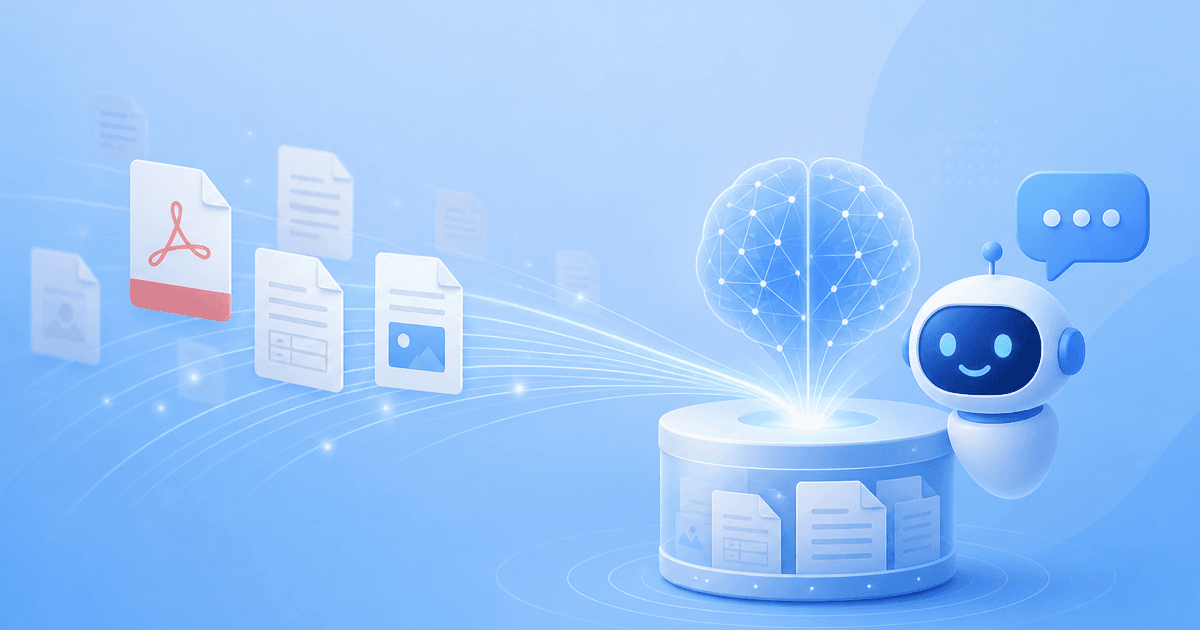
If you run a business with product manuals, an employee handbook, a stack of policy PDFs, or a spreadsheet full of answers, you already have a knowledge base — it is just locked inside files that nobody wants to read. The most common question we hear before someone signs up is simple: “Can I just upload my documents and have the assistant answer from them?” The short answer is yes, and this guide walks through exactly how it works.
We will cover what “training a chatbot on your files” actually means in plain terms, which file types matter, the step-by-step path from upload to grounded answers, and how to keep the assistant accurate as your documents change. By the end you will know how to turn a folder of PDFs and manuals into an AI chatbot that answers from your documents — no code required. BuiltABot is built for exactly this, and we will show where it fits.
TL;DR
- You can train an AI chatbot on your PDFs, files, and manuals by uploading them; the assistant reads, chunks, and indexes the text so it can answer from your content.
- Formats that matter: PDFs, Word/Google Docs, spreadsheets, manuals, contracts, and scanned docs (scans need OCR first).
- The flow is: upload files → the platform builds a grounded knowledge base → the bot answers questions with citations.
- Accuracy depends on keeping files fresh and scoping what the bot can reveal — re-upload on change, remove stale files.
- BuiltABot ingests your documents automatically and answers only from them. Start free — plans from $29.99/month.
What “Training on Your Files” Actually Means
“Training” is a slightly misleading word here, so let us be precise — because understanding this is what lets you trust the answers. The assistant is not re-learning the underlying AI model from your PDFs. Instead, it does something far more reliable for business use: it reads your documents and makes them retrievable, then answers each question by pulling the relevant passages from your files and writing a reply grounded in them.
Under the hood, three things happen when you upload a document:
- Ingestion. The platform extracts the text from your PDF, Doc, or spreadsheet — turning a file into clean, readable content it can work with.
- Chunking. That text is split into small, meaningful passages (a paragraph, a table row, a section) so the right piece can be found quickly instead of searching an entire 80-page manual every time.
- Retrieval & answering. When a customer asks a question, the assistant finds the most relevant chunks from your files and writes its answer from those chunks only. This pattern is called Retrieval-Augmented Generation (RAG), and it is why a document-trained bot can cite its sources instead of guessing.
The practical upshot: you are not teaching the AI facts it might half-remember. You are giving it a filing cabinet it reads from on every question. That distinction is the whole reason a document-trained assistant is trustworthy enough to put in front of customers — a point we cover in depth in our guide to keeping a knowledge-base chatbot accurate.
Which File Types You Can Train On
Buyers usually arrive with a specific pile of documents in mind. Here are the formats that matter and what each is good for:
- PDFs — the workhorse. Product manuals, spec sheets, warranty terms, contracts, brochures, and datasheets almost always live as PDFs. Born-digital PDFs (exported from a document, not scanned) work instantly.
- Word & Google Docs — the natural home for policies, standard operating procedures (SOPs), employee handbooks, and onboarding guides. These are usually your richest internal knowledge.
- Spreadsheets — price lists, product catalogs, FAQ sheets, and compatibility tables. Structured rows convert cleanly into retrievable answers (“what is the price of X”).
- Manuals & technical docs — installation guides, troubleshooting steps, and user guides, whether they arrive as PDF or Doc. These deflect the highest volume of repetitive support questions.
- Scanned documents — an image of a page (a scanned contract or an old printed manual) needs OCR to turn the picture of words into actual text before it can be trained on. Many platforms run OCR automatically; if yours does not, run the scan through OCR first.
The rule of thumb: if the file contains real, selectable text, it can be trained on. If it is a picture of text, it needs OCR first. When in doubt, try to highlight a sentence in the file — if you can select it, the assistant can read it.
Upload your docs and launch an AI that answers from them
Point BuiltABot at your PDFs, manuals, policies, and spreadsheets. It reads them, builds a grounded knowledge base, and answers your customers and team with citations — no code. Free for 14 days.
Step-by-Step: From Upload to Grounded Answers
Here is the end-to-end path most businesses follow to go from a folder of files to a live assistant:
- Gather the right documents. Collect the files that answer real questions — manuals, policies, FAQs, price lists. Resist uploading everything; a focused, clean set beats a dump of outdated drafts. Decide up front whether this knowledge base is public (customer-facing) or internal (staff-only).
- Upload the files. Drag your PDFs, Docs, and spreadsheets into the platform. It extracts the text, runs OCR on scans if needed, and splits each document into retrievable passages automatically.
- Let it build the knowledge base. The assistant indexes the content so any question can find the relevant passage across all your files at once — not one document at a time.
- Test with real questions. Ask the ten questions your customers or staff actually ask. Check that each answer traces back to something in your documents. This is the single best quality check you can run before going live.
- Configure the edges. Set a graceful “I'm not sure — let me connect you with our team” fallback for questions outside the uploaded content, and turn on citations so every answer shows its source file.
- Deploy. Put the assistant on your website, in a help widget, or behind a login for internal use. For a fuller walkthrough of connecting sources, see our guide on how to connect a knowledge base to a chatbot.
That is the whole loop. The heavy lifting — extraction, chunking, retrieval — is handled by the platform. Your job is curation (which files) and rules (when to hand off), not plumbing.
Keeping Answers Accurate as Files Change
A document-trained chatbot is only as current as its last upload. The most common failure mode is not hallucination — it is a bot confidently quoting a price or policy from a file you replaced three months ago. Avoid it with four habits:
- Re-upload on change. When you revise a policy, update a price list, or ship a new manual, re-upload the file so the knowledge base reflects the new truth.
- Remove superseded files. Two versions of the same document produce two different answers. Delete the old one so the bot has a single source of truth.
- Resolve contradictions. If your warranty says 30 days in one PDF and 60 in another, the bot will answer inconsistently. Fix the conflict in the documents, not in the bot.
- Prefer live sources where content changes often. For pages that update frequently, training on your website or a live data source that re-crawls on a schedule keeps the bot fresh without manual re-uploads.
Turn on citations and you get a built-in audit trail: every answer shows which file it came from, so you can spot a stale source the moment a wrong answer appears. For the full accuracy playbook — grounding, scoping, and measuring resolution rate — read our accuracy guide.
Real Use Cases (Manuals, Handbooks, Policies)
Training on files pays off anywhere the answer already exists in a document but is painful to find:
- Product manuals & troubleshooting. Upload your user guides and the assistant walks customers through setup and fixes, deflecting the repetitive “how do I…” tickets that eat support time.
- Employee handbooks & SOPs. An internal assistant trained on your handbook answers staff questions about PTO, expenses, or process — instantly, behind a login. See our guide to an internal policy & SOP bot.
- Policy & compliance docs. Return policies, warranty terms, and privacy statements become answerable in plain language instead of a 12-page PDF nobody reads.
- Spec sheets & catalogs. A spreadsheet of products or a folder of datasheets lets the bot answer “does model X support Y?” from the exact row.
- Contracts & agreements. For internal teams, a bot trained on standard contract templates can surface the right clause on request (kept behind access controls).
Files vs. Website vs. Third-Party Sources
Uploaded files are one of three ways to feed a knowledge base, and the best assistants combine them. Choose by how your content lives:
- Files (PDFs, Docs, spreadsheets) — best for content that lives in documents and changes on a release cycle: manuals, handbooks, policies, price lists. You control exactly what goes in.
- Website / URL — best for content that already lives online and changes often. A crawler re-reads your pages on a schedule so the bot stays current automatically. See training a chatbot on your data.
- Third-party sources — best when your knowledge lives in tools like Confluence, Google Drive, SharePoint, or a help center. Our guide to a Confluence/Drive/SharePoint knowledge base covers this path.
Most businesses end up combining files for their manuals and policies with their website for everything public — one unified assistant grounded on all of it. To compare platforms on how well they handle each source, see our AI knowledge base software comparison.
How BuiltABot Trains on Your Documents
BuiltABot is built around exactly this workflow, so training on your files is the default path rather than an advanced feature. You upload your PDFs, Word and Google Docs, spreadsheets, and manuals; it extracts the text, builds a grounded knowledge base, and answers from your content with citations.
- Upload and go — drag in your documents and the assistant handles extraction, chunking, and indexing for you.
- Grounded & citable — every answer comes from your files, and the bot can show which document it used.
- Mix sources — combine uploaded files with your website and other sources into one assistant.
- Public or internal — put it on your site for customers, or behind a login for staff-only handbooks and SOPs.
- Honest edges — questions outside your documents hand off cleanly instead of being guessed.
The result is an assistant that answers like someone who actually read your manuals — because it did. Setup is no-code and takes an afternoon.
Frequently Asked Questions
Can I train an AI chatbot on my own PDFs and documents?
Yes. A modern knowledge-base chatbot is designed to do exactly this: you upload your PDFs, Word or Google Docs, spreadsheets, and manuals, and the assistant reads them, breaks them into searchable passages, and answers customer or employee questions using only that content. You do not need to copy and paste text into prompts or write any code. With BuiltABot you point it at your files, it builds the knowledge base automatically, and within an afternoon you have an assistant that answers from your documents and can cite which file an answer came from.
What file types can I upload to train a chatbot?
The formats that matter most to businesses are PDFs (product manuals, spec sheets, contracts, scanned documents), Word and Google Docs (policies, SOPs, employee handbooks), spreadsheets (price lists, FAQs, product catalogs), and plain text or Markdown. The practical test is not the extension but whether the file contains real, selectable text. A born-digital PDF works instantly; a scanned image of a page needs OCR (optical character recognition) first so the words become machine-readable. BuiltABot accepts the common document formats and extracts the text for you.
How is training a chatbot on files different from chatting with a single PDF?
Chatting with one PDF is a throwaway, single-document session — you drop in a file, ask a few questions, and the context disappears when you close the tab. Training a chatbot on your files is permanent and multi-document: the assistant holds your whole library of manuals, policies, and docs at once, lives on your website or in your tools, and answers every visitor or employee from that combined knowledge base. One is a quick lookup; the other is an always-on assistant your customers and team can rely on. If you only need the quick single-document lookup, a chat-with-PDF tool is enough; if you want a permanent assistant across all your files, a document-trained knowledge base is the right call.
Will the chatbot stay accurate when I update my documents?
Only if you keep the knowledge base in sync. A chatbot answers from the snapshot of content it has ingested, so if you publish a new price list or revise a policy and never re-upload it, the bot will keep answering from the old file. The fix is to re-upload or re-sync the changed document whenever it changes, and to remove outdated files so two versions of the truth do not produce two different answers. Good platforms make this a one-click re-upload, and for web content they can re-crawl on a schedule so the assistant never drifts out of date.
Is it safe to upload confidential files to a chatbot?
It depends on the platform, so check two things before you upload anything sensitive. First, where the content is stored and whether it is encrypted. Second, whether you can scope what the bot is allowed to reveal — an internal SOP bot for staff should be access-controlled, not exposed on a public website. For internal documents like employee handbooks or security policies, keep the assistant behind a login and limit it to the right audience. For public-facing content like product manuals and FAQs, train on the customer-safe subset of your documents and leave internal files out of that knowledge base entirely.
Do I need a developer to train a chatbot on my files?
No. Uploading documents, organizing them into a knowledge base, and configuring how the assistant answers are product features, not an engineering project. You are not building a vector database or writing retrieval code — the platform handles ingestion, chunking, and retrieval behind the scenes. Your job is to decide which documents to include, keep them current, and set the rules for when the bot should hand off to a human. A non-technical business owner can stand up a document-trained assistant the same day.